Classroom records
Record the sounds each student needs to revisit.
Add a note, group students with the same gap and build cumulative review from the class record.
Class 1B
Sample classFlag a sound, then tap the students who need it again
Needs attention
- sh


- ai
A closer look
Turn an error into the next teaching step.
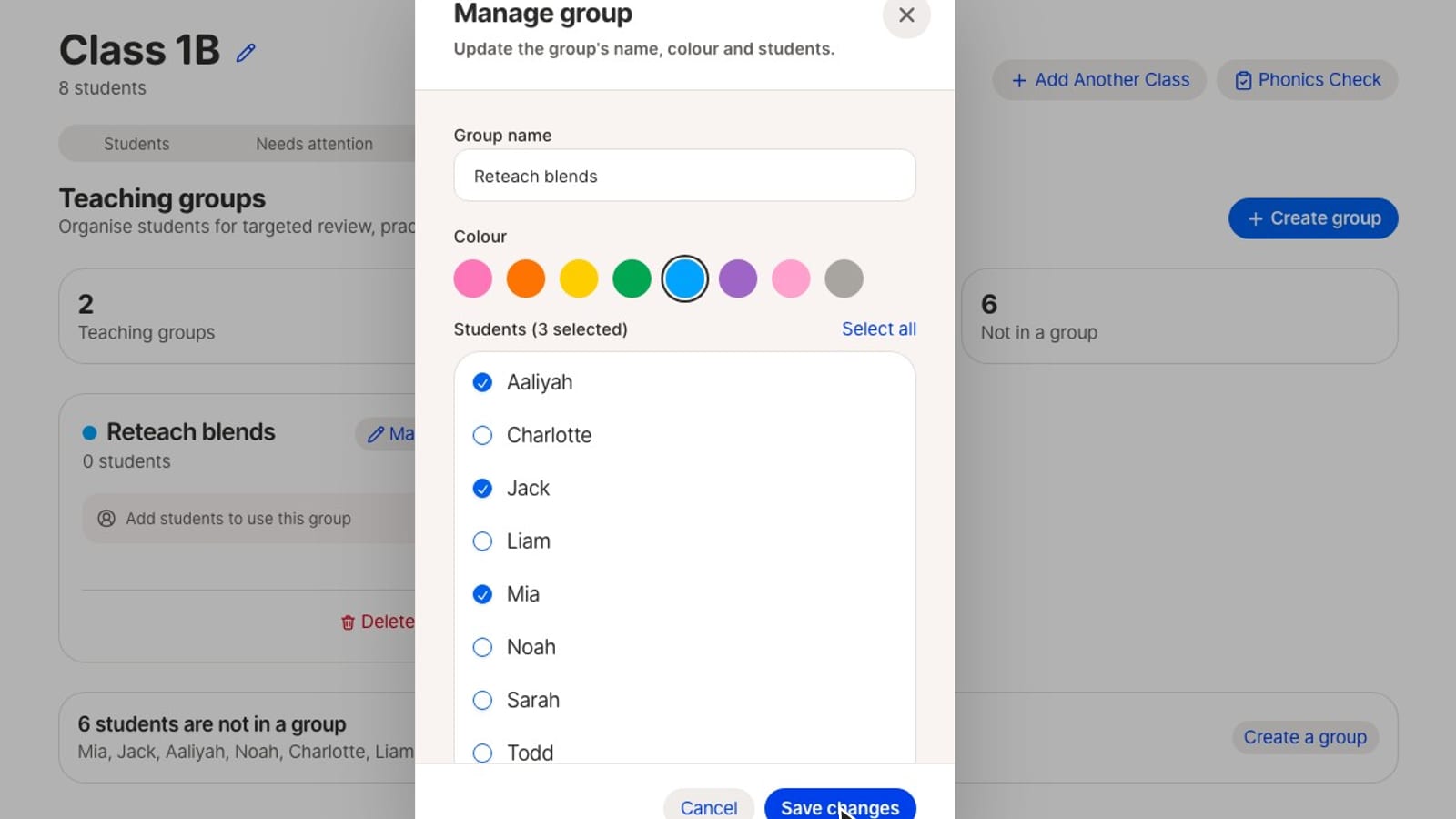
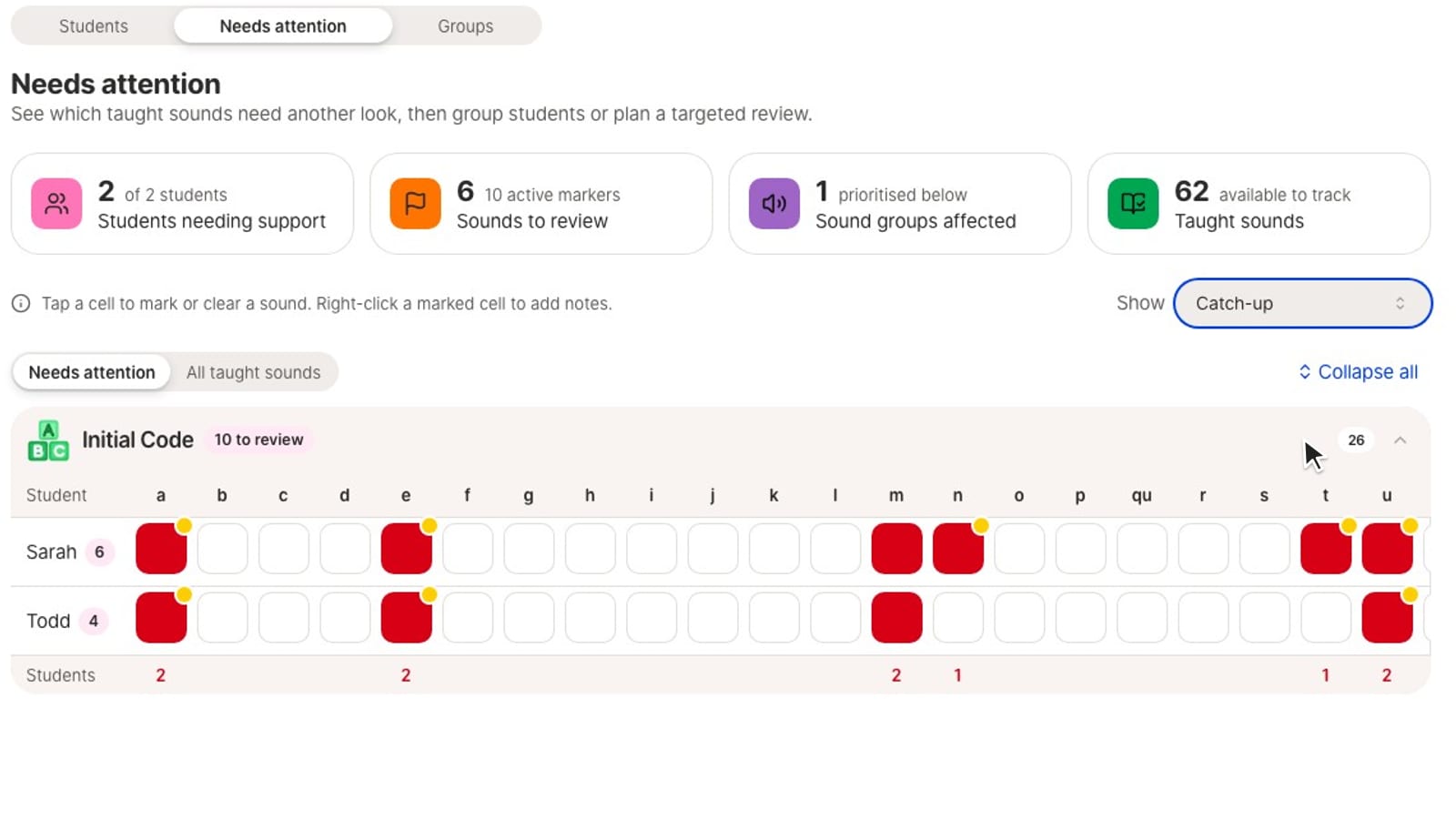
See students, sound flags and teaching groups together.
Classroom record
- Needs attention
- Secure
| Student | sh | ch | th | ai | ee | igh |
|---|---|---|---|---|---|---|
 Ava Ava | ||||||
| Leo | ||||||
 Mia Mia | ||||||
 Noah Noah | ||||||
| Zara | ||||||
 Ollie Ollie | ||||||
 Isla Isla | ||||||
 Max Max |
Teaching groups
- ch groupLeo, Zara, Isla
- th groupMia, Max
Review priorities
- 1ch
- 2th
- 3ai
- Student roster
- Bulk class import
- Sounds needing attention
- Teacher notes
- Teaching groups
- Review priorities
Turn a recorded gap into the next review lesson.
- Observe an errorchip“ship”
- Record the soundLeoch
- Group the shared needch groupLeo, Zara
- Plan cumulative reviewchReview ch
Decoding check
Phonics Check.
Run a one-to-one decoding check, identify grapheme-phoneme correspondences to revisit and plan the next teaching step.
- Real words
- Pseudo-words
- Printable records
- Teaching groups
- Targeted review
- Re-check
Sounds to revisit
- chchip, cheb
Ollie
Tap to mark each word- shipReal
- chipReal
- rainReal
- nightReal
- coinReal
- jashNonsense
- chebNonsense
- zailNonsense
- loipNonsense
- zoitNonsense
Record the sound that needs more teaching.
Group students with the same need and plan cumulative review.